To convert a streaming release time, use the announcement’s date, clock time, and source time zone together. Convert that complete input to your viewing location and retain the resulting calendar date. A bare abbreviation or a date without a time can leave the release instant unresolved; a calculator cannot supply missing official information.
Copy the announcement faithfully
Record the time exactly as published, including AM or PM, the year, and the stated zone. Do not convert it mentally while copying. A transcription error can survive every later calculation because the arithmetic correctly processes the wrong input. Keep a link to the announcement so you can check ambiguous wording.
Look for whether the time refers to the episode becoming available, a live event beginning, a red-carpet stream, or another promotional activity. An accurate conversion of the wrong event is still the wrong viewing plan. Resolve the event identity before selecting a zone or setting a reminder.
Prefer geographic zones for seasonal rules
The release-time converter uses geographic IANA zones such as America/Los_Angeles and America/New_York. Those zones include date-specific offset rules in the browser’s time-zone data. They are more useful for this task than assuming a fixed number of hours from an abbreviation you have not checked.
If a source literally specifies a fixed offset or a standard-time abbreviation during a different seasonal period, do not silently reinterpret it. Seek clarification from the source. The tool supports a deliberate list of US zones and UTC; it does not claim to parse every written abbreviation or infer what a publicity team intended.
Keep the destination date
A converted time can fall on a different calendar day from the announcement’s date. Copy the whole result, not just the clock reading. This matters for evening events and viewers far from the source zone. A group message saying only “at 9” leaves both the day and the zone unclear.
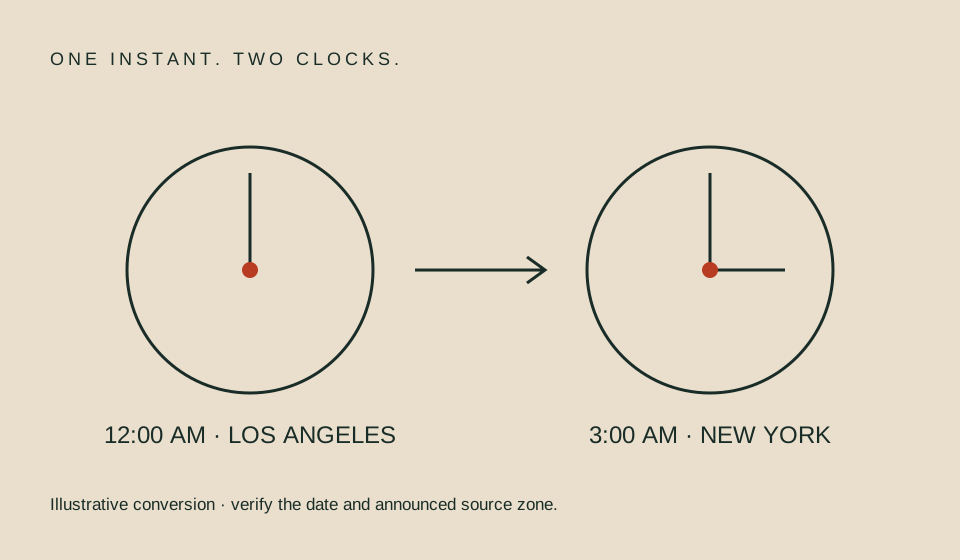
As an illustrative conversion, midnight in Los Angeles on November 6, 2026 corresponds to 3 AM in New York on that date. The example demonstrates a time-zone relationship for that input, not an actual title release. Use the tool for your own announced date rather than applying the example’s difference to every location and date.
Handle the clock-change edge cases
During a spring clock change, some local times do not exist. The converter rejects such an input instead of silently moving it forward. During a fall clock change, a local clock reading may occur twice. The converter returns both matching instants and asks you to establish which occurrence the announcement means.
A repeated hour is not a bug to resolve by picking whichever result seems convenient. If the source does not distinguish the offset, retain that ambiguity. A live-event source may clarify it with UTC or an explicit offset. Without that clarification, a precise countdown would communicate more certainty than the source provides.
| Input problem | Better action |
|---|---|
| Date only | Keep a date reminder, not an exact countdown |
| No source zone | Find the original announcement |
| Ambiguous abbreviation | Ask or check explicit source wording |
| Nonexistent spring time | Verify the announced time |
| Repeated fall hour | Confirm which offset is intended |
| Different destination day | Share the full converted date |
Understand the converter’s boundaries
The calculation establishes matching instants from a local time and zone. It does not contact a streaming provider, inspect a title page, or certify that playback will start then. Its rules come from the browser environment, so keeping the browser updated matters when governments change time-zone rules.
The supported input range is 2000 through 2100. This is a product boundary, not a guarantee that all future civil-time rules are final. For planning near the current date, use the official announcement and recheck significant events as they approach. For archival research, use the exact historical date rather than today’s offset.
Share a useful group instruction
Send the original announced time and one or more location-specific conversions. For example, include “Los Angeles” or “New York” instead of saying “your time.” Add the calendar date and a source link. This gives the recipient enough context to check the result without trusting an unexplained number.
If the event is only a date-level announcement, say that the time is unconfirmed and propose to schedule the group later. Account sign-in, device setup, and accessibility checks can still proceed. Group-watch planning separates those tasks from premiere timing so one unresolved detail does not obscure the rest.
Before sharing a converted time, write down the date, location, original source zone, and converted destination zone together. Ask another attendee to confirm that the invitation shows the intended local calendar day. This small review catches copied abbreviations and day changes that are easy to miss when only the clock digits are compared.
FAQ
Can I assume every release is midnight Pacific?
No. Confirm the title’s official schedule. A service convention is not a rule for all titles or providers.
Why does the converter show two results?
The entered local time occurs twice during a fall clock change. The source needs to identify the intended occurrence or offset.
Does the result guarantee immediate playback?
No. It is a time conversion. Availability, account entitlement, and a changed schedule are separate questions.
Related guides
Sources
- IANA Time Zone Database — the underlying geographic time-zone concept used by browser date formatting.
- Netflix official release guidance — an example of why title-specific exceptions must still be checked.